Independent guide: TriposRai is not affiliated with Tencent. This article uses the Hunyuan3D name only to describe a model ecosystem and related workflows. Read the full notice here: Independent Model Disclaimer.
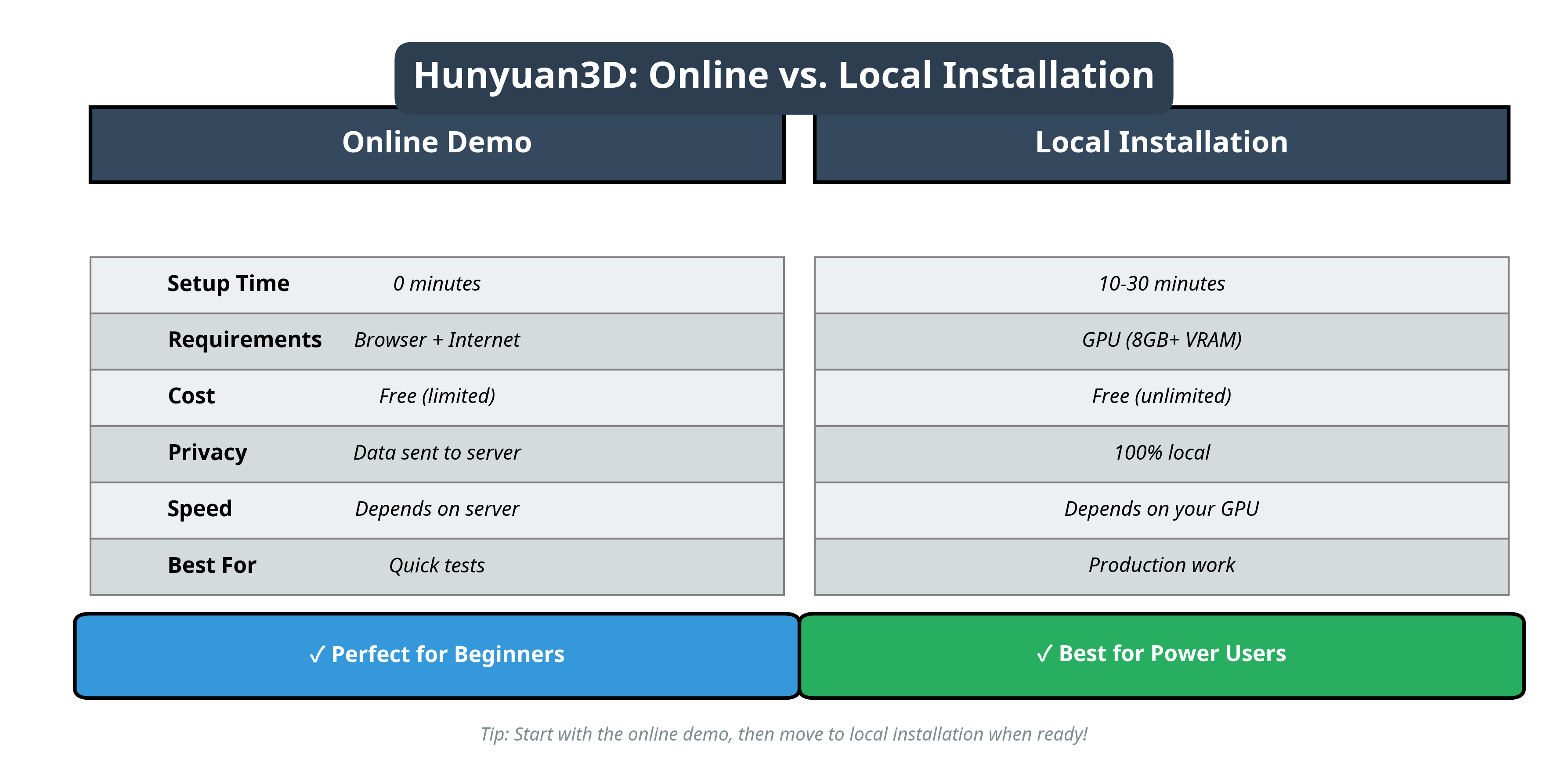
If your goal is simple, test a prompt quickly, upload one reference image, and decide whether a Hunyuan-style workflow is worth deeper setup, the browser path is usually the fastest place to start. You avoid local dependencies, you learn the prompt behavior faster, and you get an immediate feel for what the model family is good at.
Want to test first and read later? Open the independent tool page here: Hunyuan3D Free Online Tool.
What This Browser Workflow Is Good For
An online workflow is best when you are still validating the idea rather than locking a production pipeline. It works well for:
- early prompt experiments
- quick image-to-3D trials
- stakeholder demos
- deciding whether local installation is worth the effort
It is less ideal when you need guaranteed uptime, repeatable batch automation, or tight control over model versions and exported assets.
A Simple First-Test Routine
Start with one narrow objective. Do not test five different goals in the same session.
For example:
- product concept from a single clean reference image
- stylized prop from a short text prompt
- rough geometry check before a Blender cleanup pass
The best first runs usually share the same traits: a clear subject, uncluttered input, and a prompt that states material, style, and shape without trying to describe a whole scene.
Prompt and Input Setup
If you are using text only, keep the first prompt structural rather than poetic. A good starting formula is:
subject + material + style + one important shape cue
Examples:
hard-surface sci-fi crate, brushed metal, clean panel linesstylized ceramic vase, matte glaze, round silhouettesmall fantasy sword, leather grip, silver blade, centered composition
If you are using an image, use a centered subject, a plain background where possible, and enough contrast that the edges are easy to read. Online demos are usually less forgiving than a carefully tuned local workflow.
What To Expect From The Result
Treat the first browser output as a direction check, not as final production geometry. The questions to ask are:
- Did the model understand the overall silhouette?
- Did it preserve the main materials or design cues?
- Is the output good enough to justify a second pass, cleanup, or local workflow?
If the answer is yes, the browser test has already done its job. You do not need a perfect mesh to learn whether the pipeline is promising.
When Online Is Better Than Local
Online is the better choice when:
- you are evaluating the model family
- you only need a few quick attempts
- you do not want to manage Python, CUDA, or weight downloads yet
- you need a fast link to share with a teammate or client
If that sounds like your situation, continue on the tool page and keep the session focused: Use the browser workflow here.
When Local Usually Wins
Local or self-managed workflows become more attractive once you care about privacy, reproducibility, automation, or version control. That is also when comparison content becomes more useful than a generic quick-start.
These follow-up reads are the most helpful next steps:
A Practical Browser Decision Checklist
Before you commit more time, ask four simple questions:
- Does the model family understand your subject category?
- Can you get usable results in two or three tries?
- Is the browser result close enough for downstream cleanup?
- Do you actually need local control, or do you just need a fast prototype?
If you answer “yes” to the first three and “no” to the fourth, staying in the browser for now is a rational choice.
Final Takeaway
The online path is the fastest way to learn whether a Hunyuan-related workflow belongs in your stack. Use it to validate prompts, understand failure modes, and decide whether deeper integration is worth the cost.
Ready for a live test? Start here: Hunyuan3D Free Online Tool.